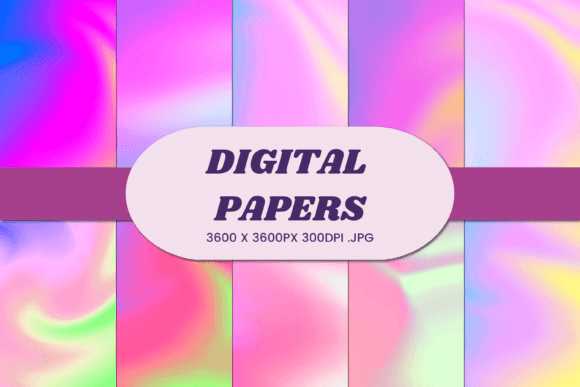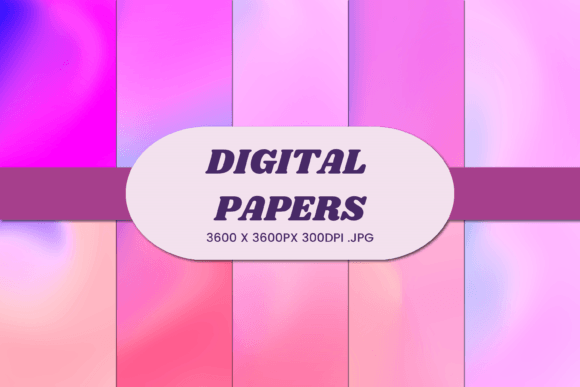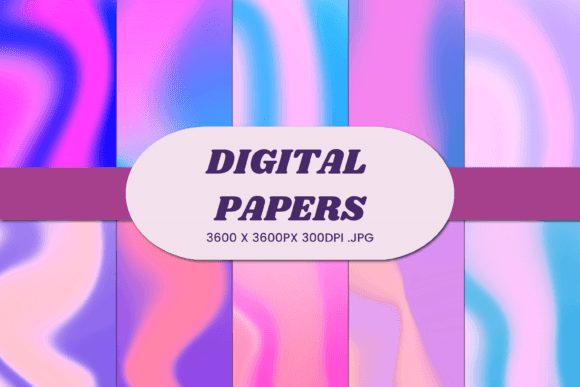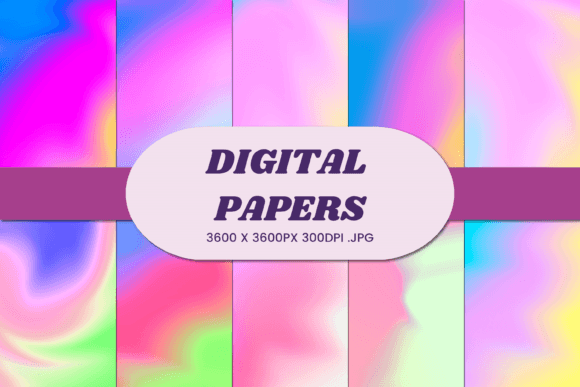
Unicorn Liquid Gradient 10 Digital Paper
In the world of digital design, texture and color are not just aesthetic choices; they are foundational elements that define the mood of a project. When you are looking to elevate your creative output without spending hours hand-painting backgrounds or searching through endless stock photo libraries, high-quality digital papers offer a practical solution. The Unicorn Liquid Gradient 10 Digital Paper bundle stands out as a versatile asset for designers, entrepreneurs, and hobbyists who need professional-grade visuals that feel both modern and ethereal.
This collection is not merely a set of images; it is a toolkit for visual storytelling. Featuring ten distinct JPG files at a resolution of 3600×3600 pixels (12x12 inches) with a crisp 300 DPI, these assets are engineered for clarity whether they are displayed on a small mobile screen or printed large enough to cover a wall. The "liquid gradient" style implies a smooth, flowing transition of colors that mimics the organic movement of fluids, creating a sense of depth and motion that static flat colors often lack.
Why High-Resolution Gradients Matter in Modern Design
Before diving into specific use cases, it is important to understand why this specific format matters. In an era where screens dominate our visual experience, gradients have become a staple of contemporary UI/UX design, branding, and social media aesthetics. However, low-resolution gradients can appear pixelated or banding-prone when scaled up. The 300 DPI specification of the Unicorn Liquid Gradient 10 bundle ensures that every pixel contributes to a smooth, professional finish.
For creators working in print-on-demand (POD) or physical product manufacturing, resolution is non-negotiable. A blurry background on a phone case or a mottled texture on a business card immediately signals low quality to the customer. These high-fidelity files allow you to maintain brand integrity across all touchpoints, from digital ads to tangible merchandise.
Practical Applications for Small Businesses and Creators
The versatility of digital paper bundles lies in their adaptability. Here is how different segments of the creative economy can leverage the Unicorn Liquid Gradient 10 collection to enhance their products and content.
Print-on-Demand and Physical Merchandise
If you run an Etsy shop, a Shopify store, or any print-on-demand business, background textures are crucial for mockups and direct-to-garment printing. The liquid gradient style works exceptionally well for:
- T-Shirts and Apparel: Use the gradients as all-over prints or as backdrops for typography-based designs. The soft transitions complement bold fonts without overwhelming them.
- Mugs and Drinkware: Wrap-around designs benefit from seamless-looking gradients that flow naturally around the curve of the mug.
- Pillows and Blankets: Textile printing often requires patterns that are soothing to the eye. These gradients provide a calming, abstract aesthetic that fits well in home decor contexts.
- Stickers: Die-cut stickers with gradient backgrounds look premium. You can overlay logos or icons onto these liquid textures to create cohesive sticker sheets.
Digital Products and Social Media
For bloggers, influencers, and digital marketers, visual consistency is key to building a recognizable brand identity. The Unicorn Liquid Gradient 10 bundle offers immediate solutions for content creation.
- Social Media Backgrounds: Create unique story backgrounds, highlight covers, or post templates. The 12x12 inch size is perfect for Instagram square posts or Pinterest pins.
- E-books and Workbooks: If you sell digital planners, journals, or educational materials, these gradients serve as elegant page backgrounds or chapter dividers.
- YouTube Thumbnails: A clean, vibrant gradient background helps text pop, increasing click-through rates by ensuring your message is the focal point.
Corporate and Professional Branding
Entrepreneurs and freelancers often struggle with finding a balance between creativity and professionalism. These gradients strike that balance perfectly.
- Business Cards: Instead of plain white or black cards, use a subtle gradient as the base layer, then place your logo and contact info in a contrasting solid color.
- Product Packaging: For cosmetic brands, tech accessories, or gift items, packaging that features fluid, modern gradients feels innovative and high-end.
- Email Newsletters: Break up text-heavy emails with header images or section dividers using these high-res files to keep readers engaged.
Creative Approaches and Styling Tips
Simply placing a gradient behind text is functional, but true creativity comes from how you manipulate these assets. Here are some strategies to get the most out of the Unicorn Liquid Gradient 10 Digital Paper.
Layering and Opacity
Don't be afraid to experiment with opacity. Placing one gradient file over another with a reduced opacity setting can create complex, multi-dimensional effects that look custom-made. This technique adds depth to simple designs, making them feel more intricate and valuable.
Contrast and Typography
Because liquid gradients often feature rich, saturated colors, choosing the right typography is critical. White text generally works best against darker gradient sections, while black or dark gray text may require a lighter gradient area. Ensure your font weight contrasts sufficiently with the background so that your message remains legible. Thin, delicate fonts might get lost in a busy gradient, whereas bold sans-serifs will stand out sharply.
Combining with Photography
These digital papers are excellent overlays for photography. Try placing a semi-transparent gradient image over a photograph to tint the entire image with a specific mood. For example, a blue-purple gradient can give a daytime photo a twilight feel, instantly altering the emotional tone of the image without needing advanced photo editing skills.
Technical Best Practices for Implementation
To ensure your final output matches the quality of the source files, adhere to these technical guidelines:
- Color Modes: Always check if your printing software requires CMYK or RGB mode. While these files are likely RGB (ideal for screens), converting them to CMYK before printing physical goods like t-shirts or banners is essential to prevent color shifts.
- Bleed Areas: When designing for print, remember to add bleed areas. Since the base file is 12x12 inches, ensure your canvas extends beyond the trim line so that no white edges appear after cutting.
- File Management: Organize your ten JPG files by color palette or intensity. Having a consistent naming convention will save time when you are rushing to meet a deadline for a client or a product launch.
Conclusion
The Unicorn Liquid Gradient 10 Digital Paper bundle is more than just a collection of pretty pictures; it is a strategic asset for anyone looking to streamline their design workflow while maintaining a high standard of visual quality. Whether you are crafting a new brand identity, producing physical merchandise, or creating engaging social media content, these high-resolution, versatile gradients provide the perfect foundation. By integrating these assets into your creative process, you can focus less on sourcing basic elements and more on refining your unique vision, ultimately delivering work that resonates with your audience.